
AI Magic Fix ✨
AI-powered automated remediation for security findings in v1.3.0.
AI Magic Fix ✨
Tharos v1.3.0 introduces a revolutionary AI Magic Fix engine. It doesn't just find security issues; it fixes them. Using advanced AI (Gemini 2.5 Flash), Tharos generates context-aware patches that resolve vulnerabilities while maintaining your project's coding style with 100% verified accuracy.
🎮 Interactive Fix Mode
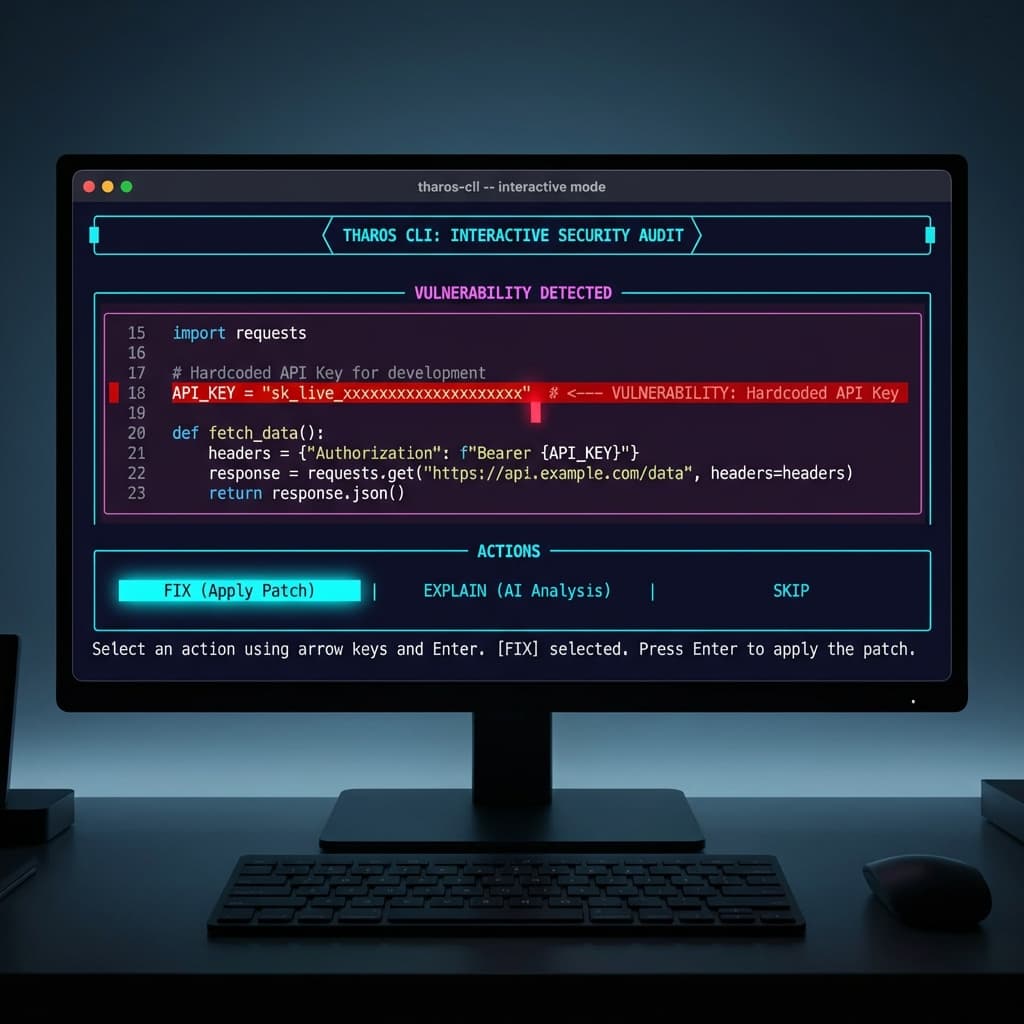
The best way to remediate findings is through the dedicated fix command. This launches a premium interactive TUI where you can audit each proposed change before it touches your code.
tharos fix .Premium Features
Tharos v1.3.0 brings an enterprise-grade interactive experience:
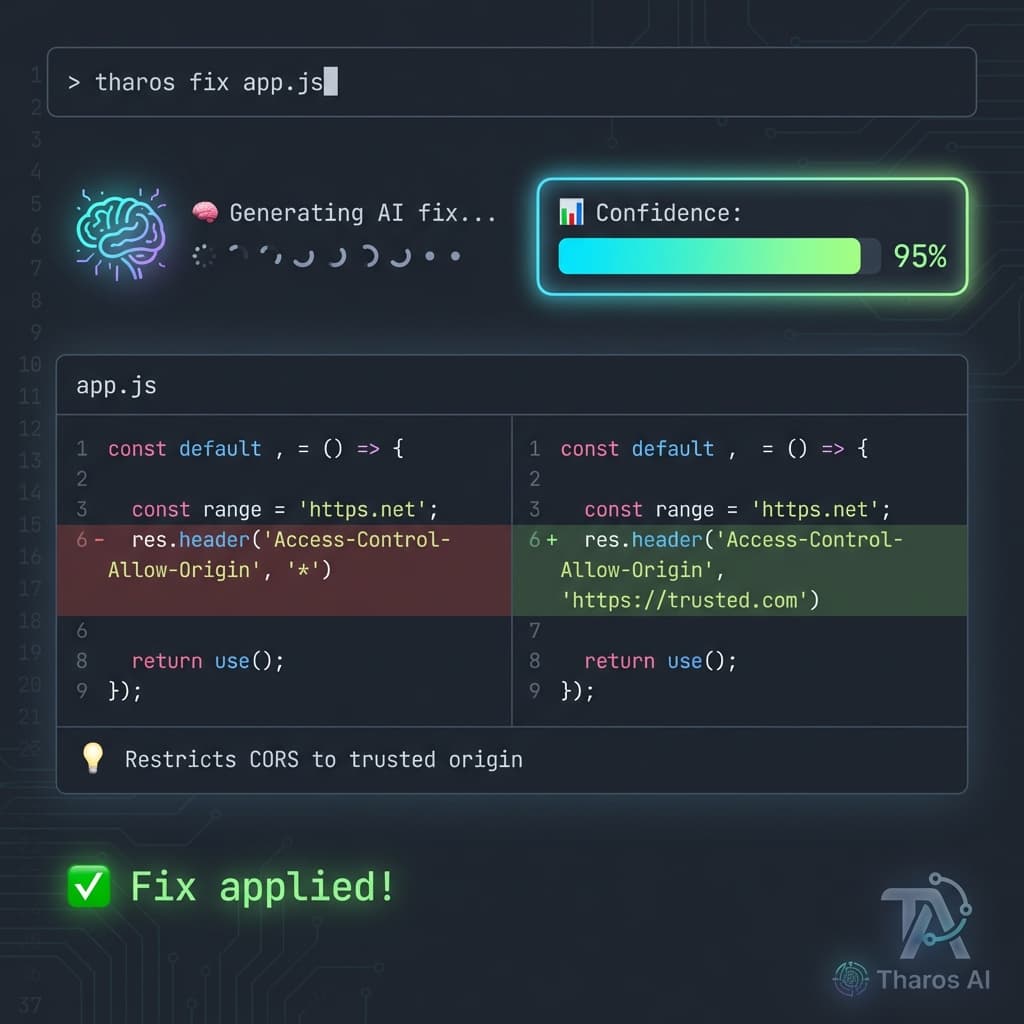
- ⠋ Animated Spinner: Real-time feedback while the AI analyzes and generates your fix.
- 📊 Confidence Meter: Visual color-coded bars (Green/Yellow/Red) showing how reliable the AI considers the fix.
- 🟢 High (90%+): Safe to apply immediately.
- 🟡 Medium (70-89%): Review recommended.
- 🔴 Low (
<70%): Manual intervention suggested.
- 📝 Enhanced Diffs: Beautiful, bold before/after previews highlighting exactly what will change.
Navigation & Actions
The interactive session is intuitive:
- Arrow Keys/Select: Use the interactive menu to choose your action.
- Apply Fix: Apply the suggested patch immediately with automatic backup.
- Explain Risk: Get a detailed AI explanation of the vulnerability and the remediation strategy.
- Skip: Ignore this finding for now.
- Quit: Safely end the session.
⚡ Auto-Fix Mode
For large projects, you can batch-apply fixes. Tharos will only apply fixes that meet your specified confidence threshold.
# Apply fixes with 95% confidence or higher
tharos fix . --auto --confidence 0.95
🛡️ Safety: Backup & Rollback
Every time you apply a fix, Tharos automatically creates a timestamped backup of the original file. If anything goes wrong, you can revert instantly.
# Rollback to a specific backup
tharos fix --rollback 20260208_223549
Backups are stored in the .tharos-backup directory in your project root.
How It Works
- Context Extraction: Tharos extracts the vulnerable code snippet along with 10-token sliding window context.
- AI Analysis: Gemini 2.5 Flash analyzes the vulnerability and generates a safe replacement.
- Safety Validation: Tharos ensures the original content matches before applying any changes.
- Backup Generation: A secure copy of your file is saved before modification.
- Atomic Application: Fixes are applied line-by-line with precision.
Last updated on